
Quick Answer
To set up a chatbot for your business: decide its one main job (answering FAQs, capturing leads, or covering after-hours), gather your 20 most-asked questions, pick a no-code platform ($30–$200/month, free tiers exist), upload your content, set a clear human-handoff rule, then test and launch. A basic bot can be live on your site in an afternoon.
You’ve made the call: you want a chatbot for your business. You’re tired of answering “what are your hours?” for the hundredth time, tired of leads emailing at 9pm and going cold by morning, and you’ve seen other Vernon businesses with that little chat bubble in the corner. Good instinct. The only thing stopping you now is not knowing where to actually start — which platform, what it costs, whether you need a developer.
You don’t need a developer, and you don’t need a big budget. Setting up a chatbot in 2026 is genuinely doable in an afternoon with the right no-code tool. This guide walks you through it step by step — what to decide first, how to build it, how to keep it honest — and tells you plainly when it’s smarter to just hand the whole thing to someone who does it for a living.
First, Decide What Your Chatbot Is For
Skip this and you’ll build a bot that does everything badly. Before touching a tool, pick the one job your chatbot does first. For most small businesses it’s one of three: answering repetitive FAQs, capturing and qualifying leads, or covering you after hours when you’re closed but customers aren’t.
Nail one before adding the rest — it’s the fastest path to something that actually works. A Vernon restaurant might start with “hours, menu, reservations.” A Coldstream contractor might start with “capture the lead: name, job, callback number.” This is also where you decide if a chatbot even fits your situation; if you’re still on the fence, our honest take on whether AI chatbots are worth it for a small business weighs both sides. Once you know the job, everything else gets easy. We’ve watched Okanagan owners waste a weekend because they tried to make the bot do ten things at once instead of one thing well.
Do This
Write one sentence: “My chatbot’s main job is ___.” Pick FAQs, lead capture, or after-hours coverage — just one to start. That single decision shapes every other step and keeps your bot focused enough to actually be useful.
Build Its Brain: Your 20 Most-Asked Questions
A chatbot is only as good as what you feed it, and this is the step that does the heavy lifting. Sit down and list the 20 questions your team answers over and over — hours, pricing, location, “do you do X,” booking, returns, service area. That list is your chatbot’s brain.
For each question, make sure there’s a clear written answer somewhere the bot can read: your website FAQ, a pricing page, a services page, a policy doc. If the answer only lives in your head, write it down now — that’s the actual work of building a chatbot, and it’s work that helps your whole website anyway. We’ve found the businesses with a solid FAQ page get a bot running in a fraction of the time, because the content already exists. A Vernon salon that’s written out its cancellation policy, pricing, and parking info has basically already trained its bot.
Do This
Make your top-20 question list today, with answers. Open a doc, write each common question and a clear, friendly answer beneath it. This single document is what you’ll feed the platform in Step 3 — and it doubles as a better FAQ page.

Pick a No-Code Platform (No Developer Needed)
Here’s the part people overestimate. You don’t write a line of code — modern chatbot platforms let you upload your content or paste your website link, and they build the bot for you. Most small businesses spend $30–$200 a month, and several platforms have genuinely usable free tiers to start.
The popular small-business options — tools like Tidio, Chatbase, and SiteGPT — are built for exactly this: point them at your website, upload your top-20 doc, and you’ve got a working bot in an hour or two. A fuller build with multiple conversation flows and integrations takes three to five days. Don’t overthink the choice; nearly all of them handle a Vernon small business’s needs, and you can switch later. Start with a free tier, see how it feels, then upgrade once it’s earning its keep.
Do This
Pick one platform with a free trial and start there. Sign up, paste in your website URL, and upload your top-20 question doc. Don’t agonize over the “best” tool — get a rough bot running, then refine. Momentum beats research here.
Set It Up Right: Voice, Honesty & the Human Handoff
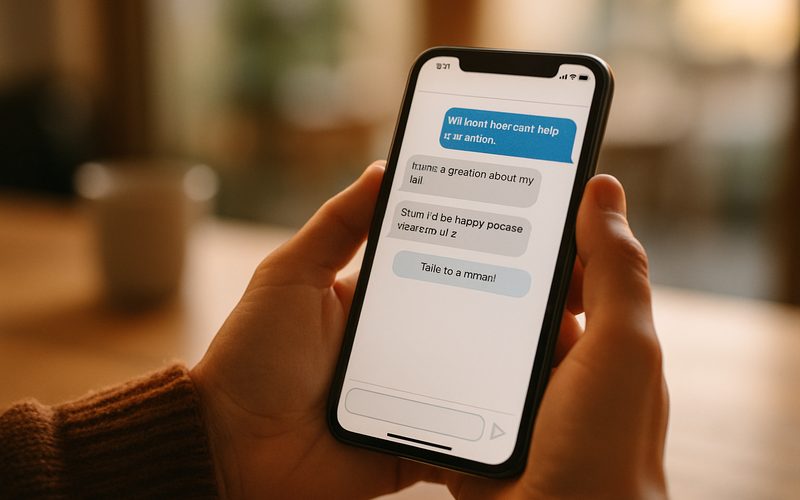
This is where a chatbot earns trust or loses it. Three settings matter most. First, match your brand voice — friendly and local, not robotic. Second, be honest that it’s a bot: a clear greeting like “Hi, I’m the Reel Edge assistant — I can help with hours, pricing, and booking, or connect you to our team” sets expectations and cuts frustration.
Third, and most important: set the human-handoff rule. Decide exactly when the bot stops and a real person takes over — a tricky question, a complaint, or simply when the customer asks. A chatbot that traps people in a loop with no way to reach a human does more damage than no bot at all. The businesses we set this up for in the Okanagan always include an easy “talk to a human” path, because a customer who feels stuck doesn’t come back. Your bot should make people feel helped, never cornered.
Do This
Write a greeting that names the bot as AI and lists what it can do — and add a “talk to a human” button. Set it to hand off to you (by email, text, or live chat) on complaints, complex questions, or any time the customer asks. Honesty plus an easy exit is what keeps trust intact.
Test, Launch & Keep It Sharp
Don’t unleash an untested bot on real customers. Before launch, ask it the 10–15 questions from your list and check every answer for accuracy — fix the gaps and add content for anything it fumbles. This catches the embarrassing mistakes while only you can see them.
Then launch, and watch it closely for the first week. The single biggest mistake we see is businesses that flip the bot on and never look at it again. Set a recurring 15-minute review: read the actual conversations, spot where the bot struggled, and add answers for the questions it couldn’t handle. Budget two to four hours a month to keep it current as your prices, hours, and services change. A chatbot isn’t “set and forget” — it’s a fast-learning new hire that gets sharper every time you correct it. A Lake Country shop that reviews its chat logs weekly ends up with a bot that genuinely sounds like the business within a month.
Do This
Test 10–15 questions before launch, then book a weekly 15-minute log review. Read real conversations, fix what the bot got wrong, and feed it answers to what it missed. Two to four hours a month keeps it accurate and on-brand.
What It’s Worth — and When to Just Hand It Off
So is the effort worth it? The numbers say yes. A well-set-up chatbot for your business doesn’t just save you time answering FAQs — it catches money you’re currently losing to slow replies and after-hours silence.
Websites with a chatbot capture 20–35% more leads and can roughly double the leads a plain contact form pulls in, largely because instant replies convert — responding within the first minute lifts conversion by over 45%, and a bot never sleeps. That’s the after-hours lead a Vernon contractor would’ve lost, caught and qualified by morning. Here’s the honest part: the setup is doable yourself, but it takes real hours to do well, and the difference between a bot that helps and one that frustrates is in the details — the content, the handoff, the ongoing tuning. If you’d rather skip the learning curve and have it built right, trained on your business, and connected to how you actually work, that’s exactly what we do as part of AI automation for Okanagan businesses.
Do This
Be honest about your time. If you’ve got an afternoon and enjoy tinkering, build it yourself with the steps above. If your time is better spent running the business, hand it to someone who’ll set it up, train it, and maintain it — and start catching those after-hours leads now.
Quick Wins: 5 Things You Can Do Today — Free
1. Write your bot’s one main job. FAQs, lead capture, or after-hours — pick one sentence and commit to it.
2. List your top 20 questions. The ones you answer constantly. This is 80% of building the bot.
3. Sign up for one free chatbot trial. Paste in your website URL and watch it build a rough draft in minutes.
4. Write your honest greeting. Name it as an AI, say what it helps with, and promise a human handoff.
5. Test it with 10 real questions. Fix the wrong answers before a single customer sees it.
A chatbot, set up properly, quietly works the shifts you can’t — answering the same questions tirelessly and catching leads at 11pm that would otherwise vanish by morning. For a Vernon business, that’s not a gimmick; it’s an always-on front desk for the price of a phone plan. Get the one job, the honest handoff, and the weekly tune-up right, and it pays for itself fast.
The owners who keep putting it off keep losing the same after-hours leads and burning the same hours on repeat questions. The ones who set it up — themselves or with help — free that time and catch that money. You’ve already decided you want one; the only step left is starting, so pick the bot’s one job today and build from there.
Want a chatbot built right — without the weekend?
We set up AI chatbots for Vernon businesses: trained on your info, honest with customers, and wired to capture leads around the clock. Book a free audit and we’ll map exactly what yours should do.
