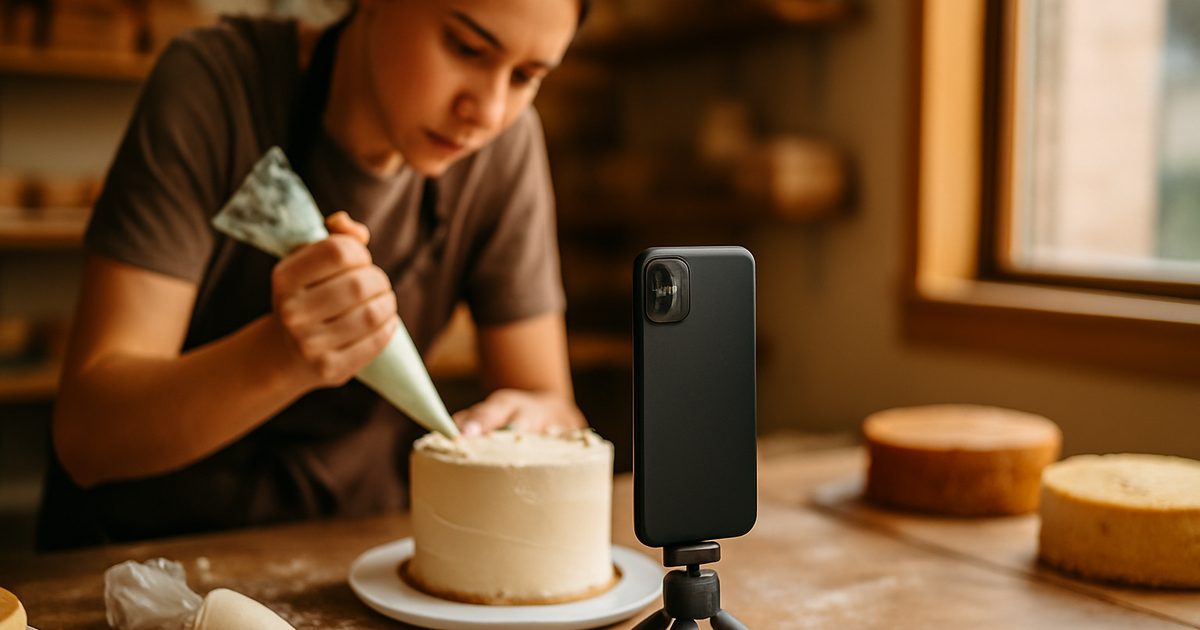
You can shoot a business reel on your phone with zero extra gear: film vertically in good natural light, keep it steady, hook viewers in the first three seconds, show real moments from your work, and add captions. Consistency matters far more than fancy equipment or perfect production.
You’ve watched a competitor’s shaky little phone video rack up thousands of views while your polished website sits quiet. It doesn’t seem fair — their reel wasn’t even that good. But it was real, it showed up, and it got seen. Meanwhile you keep telling yourself you’ll start “once you get a proper camera.”
Here’s the truth: the camera was never the problem. Learning how to shoot a business reel on your phone is the single highest-return skill a Vernon owner can pick up right now, and the gear is already in your pocket. This post walks you through it step by step — the settings, the lighting, what to actually film, and the hook that stops the scroll — even if you’d rather do almost anything than be on camera.
Why a Phone Reel Is Enough (and Worth It)
Let’s kill the excuse first: you don’t need a videographer to start. The businesses winning attention right now are doing it with the same phone you own. Short video has become the way customers discover and decide, and the barrier to entry has never been lower.
That’s the opportunity, and it’s wide open locally. Most Vernon businesses still aren’t posting video consistently, which means the bar to stand out in the Okanagan is low. This is the front line of video marketing for Vernon businesses, and a phone reel is the cheapest, fastest way onto it.
We shoot professional video for Okanagan clients every week, and we still tell every owner the same thing: start with your phone today. The polished stuff can come later. Showing up beats waiting for perfect, every single time.
Get out of your own way:
- Drop the “once I have a real camera” excuse — your phone shoots better video than most cameras did a few years ago.
- Accept that done-and-posted beats perfect-and-never.
- Commit to one reel a week to start — consistency is the real skill.
- Look at what local competitors aren’t doing; that gap is yours to take.
Set Up Your Phone Once (Three Settings)
Before you film anything, change three settings once and never think about them again. This is the five-minute setup that separates a crisp, professional-looking clip from a soft, amateur one — and it’s all free.
First, turn on 4K at 30fps in your camera settings for a sharp, detailed image. Second, film vertically, in 9:16 — that’s the full-screen format reels and TikTok use, and filming the wrong way wastes most of the screen. Third, lock your exposure by tapping and holding on your subject, so the brightness doesn’t lurch around mid-shot. And wipe your lens — a smudged lens is the most common reason a Vernon owner’s video looks hazy.
That’s it. Do this once and every clip you shoot from now on starts a level above what most local businesses are posting.
Your one-time phone setup:
- Camera settings → record video → choose 4K at 30fps.
- Always hold the phone upright (vertical) so you fill the 9:16 screen.
- Tap and hold on your subject to lock focus and exposure before recording.
- Wipe the lens with your shirt — every time, before you hit record.

Light and Sound: The Two Things That Make It Look Pro
If you fix only two things, fix these. Good light and clear sound do more for “professional” than any camera upgrade — and bad versions of either will sink an otherwise great clip.
For light, go to a window. Face it, don’t stand with it behind you, and you get soft, flattering, free lighting that makes anything look better. Filming outside? Shoot in the golden hour just after sunrise or before sunset — the Okanagan light in the evening is genuinely gorgeous and does half the work for you. Just avoid harsh overhead lights that throw ugly shadows.
For sound, just film somewhere quiet. Your phone mic is fine in a calm room close to you — it’s background noise that wrecks audio, not cheap gear. If you film in a busy Vernon café or a noisy shop floor, get the phone close, or grab a $20 clip-on mic later once you’re hooked.
Light it and mic it for free:
- Film facing a window — never with the window or a bright light behind you.
- Shoot outdoor clips in golden hour for that warm Okanagan glow.
- Record in the quietest spot you can, with the phone close to whoever’s talking.
- Avoid harsh overhead lighting that casts hard shadows on faces.
What to Actually Film (You’re Not a Dancer)
This is the part that stops most owners cold: “I don’t know what to film.” Good news — you are not required to dance, lip-sync, or be a personality. The best business reels just show real moments customers don’t normally get to see.
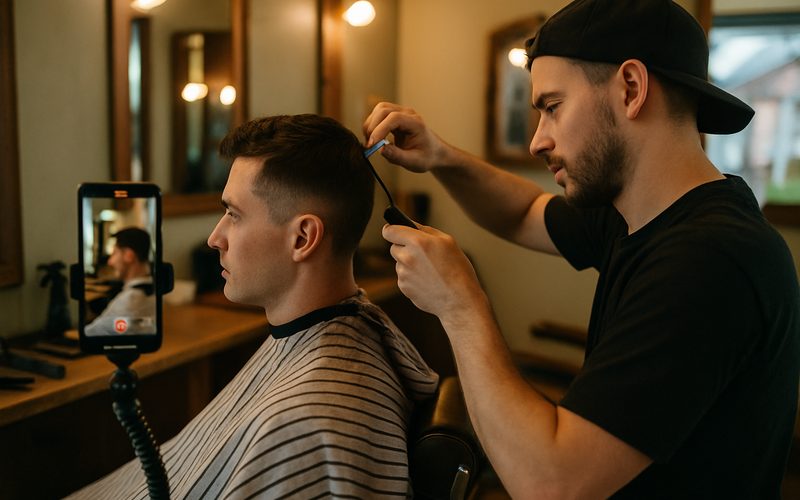
Film the work. A baker piping a cake, a mechanic explaining a quick fix, a stylist revealing a before-and-after, a contractor walking a finished Okanagan deck, a barista pulling the perfect shot. Show a behind-the-scenes peek, answer a question customers always ask, or capture a genuine customer moment. People are endlessly curious about how local businesses actually do what they do.
The reels that take off for our Vernon clients are almost never the polished ones — they’re the honest, useful, “oh that’s how they do it” ones. You already do something interesting every day. The job isn’t to perform; it’s to point the camera at the real thing.
Steal these reel ideas this week:
- Show the work: a close-up of you doing the thing you’re great at.
- Answer one question customers always ask, in 20 seconds.
- Film a before-and-after — transformations stop the scroll.
- Capture a real moment: a happy customer, a busy morning, a finished job.
Nail the First Three Seconds
Here’s the make-or-break: the algorithm and the viewer both decide in about three seconds whether to keep watching. A great clip with a slow start dies. A simple clip with a strong hook flies.
Start with the payoff, not the build-up. Open on the finished cake, not the empty bowl. Say the surprising thing first: “This is the mistake costing Vernon homeowners thousands.” Show the transformation, the result, the bold claim, the question — anything that makes someone’s thumb pause. Then deliver on it.
Don’t open with “Hey guys, welcome back to my page.” That’s three seconds of nothing, and you’ve lost half your viewers. We’ve watched a Vernon client’s reel go from a few hundred views to thousands by changing nothing but the first three seconds. The hook isn’t a nice-to-have — it’s the whole game.
Win the first three seconds:
- Lead with the result or the boldest moment — not an intro or a slow pan.
- Open with a question or claim your customer actually cares about.
- Cut any “hey everyone” preamble — start mid-action.
- Watch your own first three seconds and ask: would this stop my thumb?

Add Captions and Post
You’ve got the clip — two last steps make sure it gets watched and found. Trim the dead air, add captions, and post it the right way.
Captions matter for two reasons: plenty of people scroll in silence (waiting rooms, late at night, beside a sleeping baby), and on-screen text makes your reel searchable. Free apps like CapCut or Instagram’s built-in tools auto-caption in a couple of taps. Trim any slow bits at the start and end so it’s tight, keep it short — 15 to 30 seconds is the sweet spot for most local business reels — and export in 9:16 with high-quality upload turned on.
Then post, and post again next week. One reel won’t change your business; the habit will. The Vernon accounts that grow aren’t the ones with the best gear — they’re the ones that kept showing up while everyone else waited.
Finish and ship it:
- Trim the dead air off the start and end — get to the good part fast.
- Auto-add captions in CapCut or Instagram so silent viewers still follow.
- Keep it 15–30 seconds and export vertical (9:16) at high quality.
- Post consistently — schedule one a week and stick to it.
Quick Wins: 5 Things You Can Do Today — Free
- Switch your camera to 4K, 30fps. One trip to your phone settings and every clip you shoot looks sharper instantly.
- Wipe your lens and film one clip by a window. Face the light, hold the phone upright, and record 20 seconds of your work.
- Write three hooks. Jot down three first lines that would make a customer stop scrolling — pick the boldest.
- Auto-caption it in CapCut. Free app, two taps, and your reel works for the silent scrollers.
- Post it today. Don’t wait for perfect. Hit publish, then plan next week’s.
Get comfortable with this and you unlock the cheapest marketing channel available to a Vernon business — one phone, a few minutes, and a steady habit that puts your face and your work in front of thousands of locals. No studio, no crew, no big budget. The same business you run today, simply seen by far more people.
Keep waiting for the “right setup” and you hand that attention to the competitor who just started filming. Short video is where customers are looking right now, and the window where local businesses can stand out easily won’t stay open forever. If you’d rather have it handled — or want to level up from phone clips to scroll-stopping branded video — our complete video marketing guide and the free audit below are the place to start.
Want video that actually brings in Vernon customers?
We’ll look at your business and show you exactly what to film, where to post it, and how to turn views into customers — whether you shoot it yourself or we shoot it for you. No pressure, no jargon, just a clear plan.
