
Mobile-first means your website is built for phones first and desktops second — because that’s how your customers and Google both experience it. Since 2024, Google ranks the mobile version of your site, and most local searches happen on a phone. If your site only works well on a computer, you’re losing customers and rankings.
You built your website on a laptop. You check it on a laptop. It looks sharp — big photos, clean menu, everything in its place. So you assume it’s working. Meanwhile, a customer in Coldstream is squinting at it on a cracked iPhone in a parking lot, pinching to read your hours, giving up, and tapping the competitor below you.
That gap between how you see your site and how your customers actually use it is where the money leaks out. A mobile-first website closes it. This post explains what mobile-first really means, why Google now rewards it, and how to tell in two minutes whether your own site is helping or quietly costing you customers across the Okanagan.
What “Mobile-First” Actually Means
A mobile-first website is designed for the phone screen first, then expanded for tablets and desktops — not the other way around. That sounds like a small ordering detail. It’s the whole ballgame.
Most older sites were built desktop-first and then “shrunk” to fit phones. The result is the experience you’ve probably had yourself: tiny text, buttons too close to tap, a menu that won’t open, a hero image that pushes everything important off the screen. Mobile-first flips the priority so the phone version is the real version, and the desktop one is the bonus.
There’s a related term worth untangling: mobile-friendly just means your site technically works on a phone. Mobile-first means it was designed to be great there. The difference shows up in whether a customer can call you in one tap or has to fight your site to do it. Getting this right is a core piece of modern small business website design in Vernon.
Reframe how you judge your own site:
- Stop evaluating your website on your computer — judge it on your phone first.
- Know the difference: “works on mobile” is the floor; “built for mobile” is the goal.
- Ask whether the most important action — calling or booking — takes one tap on a phone.
- If your site was built more than a few years ago, assume it’s desktop-first until proven otherwise.
Google Ranks Your Phone Version Now — Not Your Desktop
This is the part most Vernon owners haven’t caught up to. Google switched to mobile-first indexing as the default for 100% of websites back in July 2024. In plain English: when Google decides where you rank, it looks at the mobile version of your site, not the desktop one.
So a gorgeous desktop site with a broken mobile experience doesn’t just annoy customers — it actively drags down your search rankings. And since 71% of all Google searches happen on a phone, the mobile experience is what the overwhelming majority of searchers get anyway.
We’ve audited Okanagan businesses who couldn’t understand why they’d slipped in search despite a “nice website.” The nice part was desktop-only. On a phone, the site was slow and clumsy, and Google was ranking them on exactly that version. Fixing the mobile experience was the unlock.
Treat your mobile site as your real site for SEO:
- Accept that Google ranks your mobile version — so that’s the one to perfect.
- Make sure your mobile site has the same content as desktop, not a stripped-down version.
- Check that text, headings, and images aren’t hidden or cut off on the phone.
- Pair this with your local SEO — a strong mobile site lifts your “near me” rankings too.
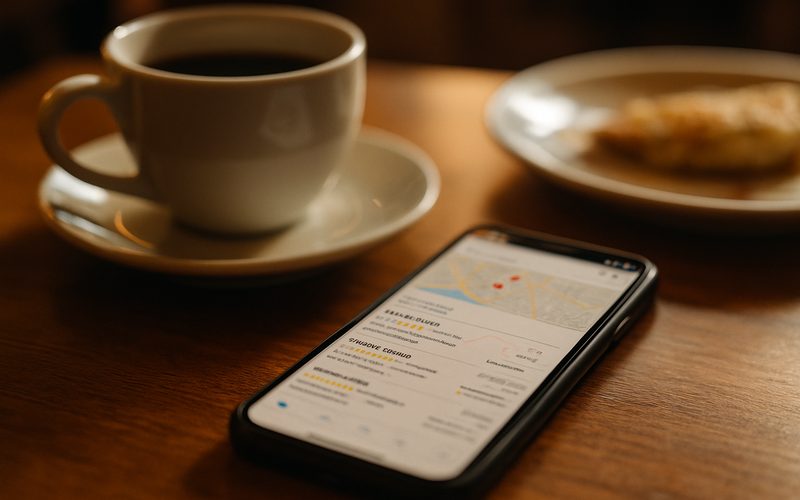
Most of Your Vernon Customers Are Already on Their Phones
If you still picture your customer at a desk, update the picture. They’re on the couch, in the truck, standing in your competitor’s parking lot deciding where to go. Mobile is how local discovery happens now.
Those “near me” searches are the most valuable traffic a local business gets — someone searching “coffee near me” or “plumber Vernon” on a phone is ready to act now, not browsing for fun. They’re standing somewhere in the North Okanagan with intent and a credit card.
That’s the customer your mobile site is talking to. Add in the summer tourists pulling into Vernon and searching for somewhere to eat on their phones, and the share of your real-world customers arriving via mobile is higher than the averages suggest.
Build for the on-the-go local searcher:
- Put your phone number, address, and hours where a phone user sees them instantly.
- Add a tap-to-call button and a tap-for-directions link — the two things mobile searchers want most.
- Make sure you show up for “near me” searches by keeping your Google Business Profile current.
- Picture a tourist on Highway 97 with one bar of signal — design for that person.
A Slow or Clunky Mobile Site Quietly Costs You Customers
Here’s the brutal part: on a phone, you don’t get a second chance. A mobile visitor who hits a slow, awkward site doesn’t email to complain — they just leave, and you never even know they were there.
It compounds, too. A clunky mobile site doesn’t just lose the one sale — more than half of people won’t recommend you to a friend after a bad mobile experience, so the word-of-mouth a Vernon business runs on takes a hit as well. Your site becomes a quiet reputation problem.
And the Okanagan adds a twist: cell signal out toward the rural edges and up the valley isn’t always strong. A heavy, slow site that limps along on full bars in town becomes unusable on patchy signal — right when a customer needs you most.
Stop the silent leaks:
- Get your mobile load time under 3 seconds — test it with Google’s free PageSpeed Insights.
- Compress big images; they’re the number-one cause of slow phone loads.
- Cut anything that doesn’t earn its place — every extra element slows the page.
- Test on real cellular data away from your wifi, not just on a fast office connection.

How to Tell If Your Site Is Actually Mobile-First
You don’t need a developer to find out where you stand. You need your phone and about two minutes. Most owners have never genuinely tested their own site this way — they glance at it on desktop and assume.
Pull your website up on your phone, on cellular data, and run through it like a stranger would. Can you read everything without pinching? Is the phone number tappable? Does the menu open cleanly? Can you find your hours and address in a couple of seconds? Does anything load slowly, jump around, or run off the edge of the screen?
Then run two free Google tools: PageSpeed Insights for a hard speed score, and the mobile view in your browser. We do exactly this at the start of every website audit for Okanagan clients, and it surfaces the real problems in minutes — usually the same handful of issues every time.
Run the two-minute mobile test today:
- Open your site on your phone, on cellular — not your office wifi.
- Try to call, find your hours, and read a full page without pinching or scrolling sideways.
- Run your homepage through Google PageSpeed Insights and note the mobile score.
- Write down every spot you had to fight the site — that’s your fix list.

What Makes a Website Truly Mobile-First
Once you know there’s a problem, here’s what “fixed” actually looks like. A true mobile-first website nails a short list of fundamentals that together make a phone visitor’s life easy.
Text big enough to read without zooming. Buttons big enough to tap with a thumb, with space around them. A tap-to-call phone number. Fast load, even on so-so signal. A simple menu that opens with one tap. Content stacked in a single clean column instead of squeezed sideways. None of this is flashy — it’s just respect for how people actually hold a phone.
The Vernon businesses we move to a properly mobile-first build consistently tell us the same thing afterward: more calls, longer visits, fewer people bouncing. Not because the site got prettier, but because it finally got out of the customer’s way on the device they were already using.
The mobile-first essentials checklist:
- Readable text (16px+) and big, well-spaced tap targets.
- A tap-to-call phone number and a tap-for-directions map link.
- One clean column layout — no horizontal scrolling, ever.
- Fast load and a simple, thumb-friendly menu that works one-handed.
Quick Wins: 5 Things You Can Do Today — Free
- Open your site on your phone. On cellular, not wifi. The first thing that annoys you is the first thing to fix.
- Run Google PageSpeed Insights. Drop in your homepage URL and read the mobile score — under 3 seconds is the target.
- Make your phone number tap-to-call. If tapping it doesn’t start a call, that’s a five-minute fix worth real money.
- Shrink your biggest image. Oversized photos are the top cause of slow mobile loads — compress the worst offender.
- Check your hours and address on mobile. Make sure a customer can find them in under five seconds without scrolling forever.
Going mobile-first isn’t chasing a trend — it’s meeting your customers where they already are, on the device they already use, and giving Google the version of your site it’s already ranking. Get it right and the same business, the same services, and the same prices suddenly convert more of the people who find you. Nothing about your business has to change except the experience on a five-inch screen.
Keep coasting on a desktop-first site and the losses stay invisible but real: rankings that slide, “near me” customers who bounce, and referrals that never happen because the phone experience let someone down. The competitor who fixed their mobile site is quietly taking those calls. If you want to know exactly where yours stands, our complete guide to website design in Vernon and the free audit below will show you in plain terms.
Is your website winning or losing on a phone?
We’ll test your site the way your customers actually use it — on mobile — and show you the three fixes that would bring in the most calls. No pressure, no jargon, just a clear look at what’s working and what’s leaking.
