Quick Answer
Most Vernon businesses don’t show up on Google for one of seven reasons: an unclaimed or incomplete Google Business Profile, the wrong primary category, a website that never mentions Vernon, mismatched contact details across the web, too few recent reviews, a slow or broken website, or a suspended listing. Every one is fixable — usually without spending a dollar.
A Coldstream landscaper called us last spring after six months of zero calls from Google. Nine years in business. A decent website. Great work — his existing clients loved him. When we pulled up his Google Business Profile, his primary category was set to “General Contractor.” We switched it to “Landscaping Company.” Three weeks later he was in the local pack for “landscaper Vernon.” His first words: “Why didn’t anyone tell me this sooner?”
That single fix — one dropdown change — is the whole story of local SEO in a small market like Vernon. Whether you show up on Google in Vernon has almost nothing to do with how good your business is. It has everything to do with whether Google can find you, trust you, and understand exactly what you do and where you do it.
After auditing hundreds of local business profiles across Vernon, Coldstream, Lake Country, and the broader Okanagan, we see the same handful of problems again and again. Here’s each one — and exactly how to fix it.
1. Your Google Business Profile Isn’t Claimed or Complete
When someone searches “plumber Vernon” or “salon near me,” Google shows a block of three businesses on a map at the top of the page. That block is the local pack, and it’s where the clicks go. Your Google Business Profile (GBP) is the free listing that gets you into it.
If your profile isn’t claimed, isn’t verified, or is half-empty, Google won’t show it. It’s not personal — Google just doesn’t have enough to confirm you’re a real, active business worth recommending. A question we hear constantly: “Do I need a website, or is GBP enough?” The honest answer is both. Your GBP controls your Maps visibility; your website controls your organic search ranking. One without the other leaves half the table empty. The numbers make the stakes clear: 44% of local searchers click a local-pack result, and businesses in the pack pull 126% more traffic and 93% more calls, clicks, and direction requests than the listings ranked 4 through 10.
44%
of local searchers click a local 3-pack result (Backlinko Local SEO Statistics Report, 2025)
126%
more traffic for local-pack businesses vs. ranks 4–10 (Backlinko Local SEO Statistics Report, 2025)
70%
more likely to get a visit when your profile is complete (Google Business Profile Completion Research, 2025)
The businesses we work with are often surprised that “complete” means more than name and hours. A profile Google trusts has photos, categories, a real description, and recent activity — because a stale, bare listing reads as an abandoned one.
The Fix
- Go to google.com/business and search your business name. If it’s unclaimed, claim it — verification (usually a video or postcard) takes a few days.
- Fill in every field: primary + secondary categories, hours including stat holidays, services, and a description that names what you do and that you serve Vernon and the North Okanagan.
- Add at least 10 real photos — storefront, interior, your team, your work. No stock images.
- Post an update (an offer, a job you finished, a seasonal note) at least twice a month to signal you’re active.
- Mobile or home-based business? (landscaper, plumber, cleaner, or any service that goes to customers) — don’t list your home address. Instead, leave the address blank, enable “I deliver goods and services to my customers,” and set a service radius covering Vernon, Coldstream, and Lake Country. You’ll still appear in local searches; Google just won’t display your street address publicly. Listing a home address as a storefront is one of the top causes of GBP suspensions for trades and mobile businesses in the Okanagan.
2. You Picked the Wrong Primary Category
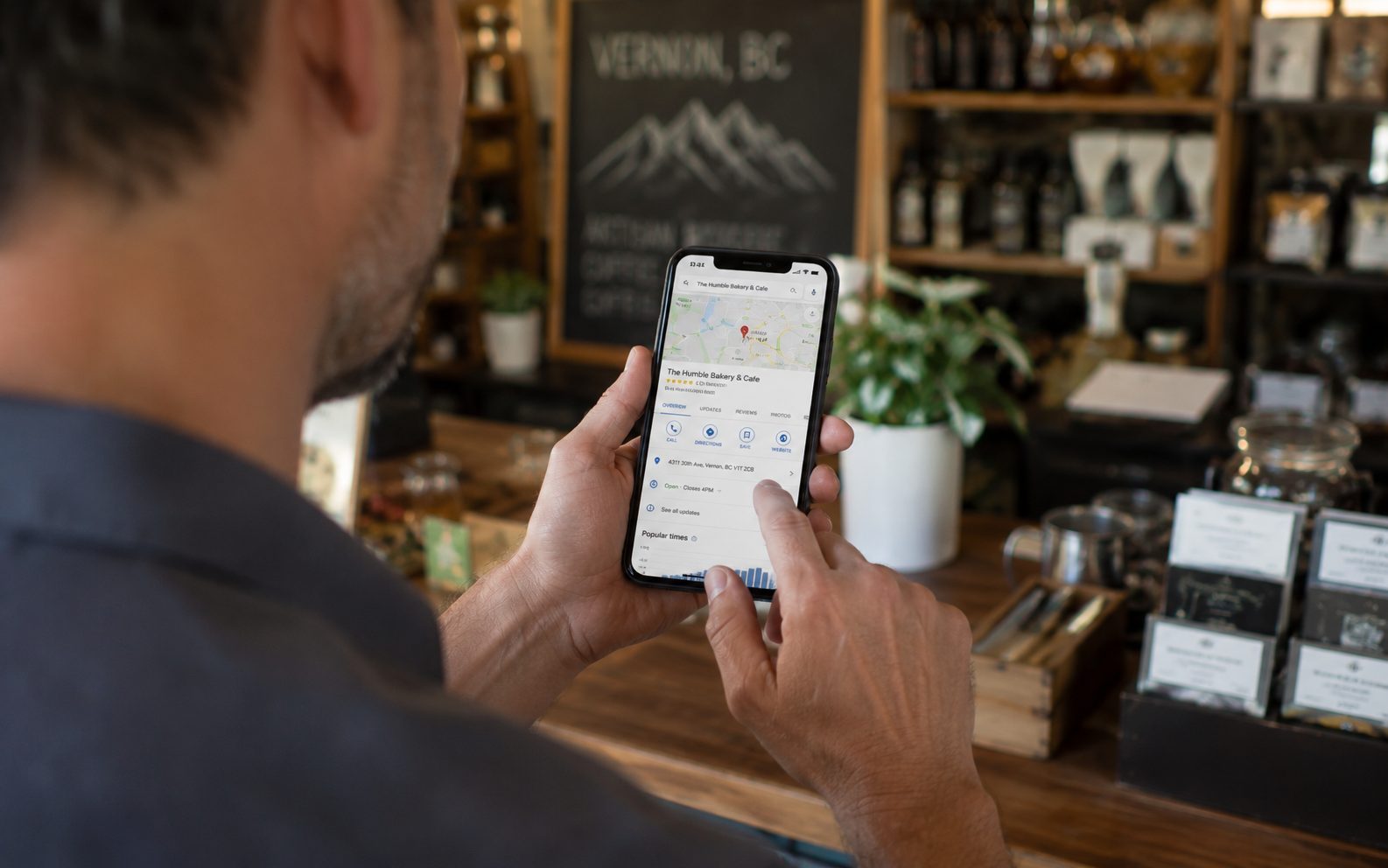
This is the most overlooked mistake in local SEO, and it’s a big one. Your primary business category is the single most powerful field on your entire profile. In Whitespark’s 2025 Local Search Ranking Factors study, experts ranked “primary GBP category” the #1 factor for showing up in the local pack — the top spot for six years running. The flip side: choosing the wrong one is rated the #1 negative factor.
Here’s what that looks like on the ground. A Vernon landscaping company that picks “Lawn Care Service” as its primary category instead of “Landscaping Company” becomes invisible to everyone searching “landscaper Vernon” — even if every other detail is perfect. The category decides which searches you’re even eligible to appear for. We’ve watched a single category change move a local contractor from nowhere into the map pack within weeks.
The Fix
- Search your main service + “Vernon” (e.g., “electrician Vernon BC”) and open the top 2–3 competitors in the map pack.
- Check the category listed under each of their names — match the most accurate one as your primary.
- Add every relevant secondary category to capture related searches, but never pad it with ones that don’t fit.
3. Your Website Never Says “Vernon”
Google connects searchers in Vernon with businesses that clearly serve Vernon. To do that, it reads your website for location signals. If your site says “we provide professional accounting services” but never mentions Vernon, the Okanagan, BC, or a nearby town, Google has no idea where you operate — and it won’t guess.
This trips up a lot of owners because their site was built to describe services, not geography. It looks polished and says nothing local. After reviewing local websites across the North Okanagan, we’d estimate the majority mention their own city fewer than three times — and many not at all. That’s a gap, and it’s one of the easiest to close.
What Google wants to see on the page:
- Your city in the page title — e.g., “Web Design in Vernon, BC | Reel Edge Media”
- Your full address and phone number in the footer of every page
- Copy that names your real service area: Vernon, Coldstream, Lake Country, Armstrong, Salmon Arm, Enderby
- A dedicated service-area or about page that spells out where you work
Quick Check
Open your homepage and press Cmd+F (Mac) or Ctrl+F (Windows), then search “Vernon.” If it shows up fewer than three times in natural sentences, you have a gap. Your title tag and first paragraph should both include your city. For the full walkthrough, see our complete local SEO guide for Vernon businesses.
4. Your Name, Address & Phone Don’t Match Across the Web
Your business name, address, and phone number — “NAP” in SEO shorthand — need to be identical everywhere they appear: your website, Google Business Profile, Facebook, Yelp, Yellow Pages, the Greater Vernon Chamber of Commerce, the BBB, Apple Maps, Bing Places. All of them.
Small mismatches cause real damage:
- Website lists 236-599-6200 — GBP lists (236) 599-6200
- Yelp says Suite 201 — your site says #201
- Facebook says Reel Edge Media Inc. — GBP says Reel Edge Media
Google cross-references your details across hundreds of sites to judge whether you’re legitimate. Each inconsistency makes it less certain you’re the same business — and it lowers rankings to hedge that uncertainty. This matters more in 2026 than it used to: the average consumer now checks six different review sites before choosing a local business (BrightLocal, 2026), so mismatched info isn’t just a Google problem, it’s a trust problem with real customers too.
The Fix
Write down your exact NAP — one format, locked forever. Then audit your top 5–6 profiles (Google, Facebook, Yelp, Yellow Pages, Apple Maps, your website footer) and make every character match. Same suite format, same phone punctuation, same legal name.
5. You Don’t Have Enough Recent Reviews — and the Bar Just Went Up
Reviews are one of the strongest signals in Google’s local algorithm, and the standard customers hold you to keeps rising. In BrightLocal’s 2026 Local Consumer Review Survey, 41% of consumers now say they always read reviews before choosing a business — up from 29% a year earlier. And 31% will only use a business rated 4.5 stars or higher, nearly double the 17% who said so in 2025.
41%
always read reviews, up from 29% (BrightLocal LCRS, 2026)
31%
only use businesses rated 4.5★+ (BrightLocal LCRS, 2026)
97%
of consumers read online reviews (BrightLocal LCRS, 2026)
Here’s the part owners underestimate: volume and recency beat a perfect score. A 4.8 rating from 4 reviews almost always loses to a 4.3 from 90 recent ones. The Vernon clients we work with who win the local pack share one habit — they ask for a review after every job, instead of waiting for them to appear on their own. They never do.
The Fix
- In your GBP, click “Get more reviews” and copy your direct review link.
- Text or email that link to each customer right after the job, while they’re still happy.
- Reply to every review — good or bad — within 48 hours, since replies count as engagement.
- Set a floor of 2–3 new reviews a month. For the full system, read how to get more Google reviews without begging.

6. Your Website Is Too Slow or Technically Broken
Even with a strong profile and great reviews, a slow or broken website holds you back. Google uses your site to verify you and decide whether you deserve to rank — and on mobile, where 84% of local searches happen (BrightLocal Local Search Consumer Report, 2026), speed is brutal. Roughly 53% of visitors abandon a page that takes longer than three seconds to load (Google/Deloitte Mobile Speed Research, 2025). The phone search that should have been your customer becomes your competitor’s instead.
Slow loading speed
Most small business sites are stuffed with oversized images. Test yours at pagespeed.web.dev and aim for a mobile score above 70.
Not mobile-friendly
Since 2020 Google ranks sites mainly on how they perform on phones, not desktop. If your site is hard to read or tap on mobile, you’re losing both rankings and customers.
Missing title tags and HTTPS
Every page needs a unique title that includes your service and city, or Google invents one from random page text. And if your address still starts with http:// instead of https://, Google flags it as insecure and ranks it lower — most hosts add free SSL on request.
The Fix
Run your site through Google PageSpeed Insights (free at pagespeed.web.dev) and fix anything marked “critical” first. On WordPress, a caching plugin (WP Super Cache) and an image optimizer (Smush) lift your score fast without touching code. Confirm your whole site loads on https://.
7. Your Listing Got Suspended or Quietly Removed
This one catches Vernon business owners completely off guard. You log into Google Business Profile one day and your listing is gone — or you notice it stopped appearing weeks ago with no notification whatsoever. Google suspends listings for several reasons, and most are fixable once you know what triggered it.
The most common causes: keyword-stuffing your business name (adding “Vernon BC Plumber” after your actual name), using a virtual office or address that doesn’t match where you serve customers, or having too many “suggested edits” from strangers that Google quietly accepted. Home-based and mobile businesses in Vernon and Coldstream are especially vulnerable — if you listed a residential address as a customer-facing storefront, Google may have flagged it. We’ve reinstated listings for three Okanagan trades businesses in the past year alone, all suspended for the business name issue.
The reinstatement process runs through Google Business Profile support and typically takes 7–14 days for a legitimate local business. While you wait, check whether a duplicate listing exists — duplicates split your reviews and confuse the ranking algorithm.
The Fix
- Search your business name in an incognito window — if nothing appears, check your GBP dashboard for a suspension notice.
- Strip any keywords from your business name field — it must match your real-world signage exactly, nothing more.
- Submit a reinstatement request at business.google.com/support with proof of your business (photos of signage, utility bills, business licence).
- Search Google Maps for your business name and request removal of any duplicate listings.
Quick Wins: 5 Things You Can Do Today — Free
- Claim and verify your Google Business Profile at google.com/business — 15 minutes to set up, a few days to verify.
- Check your primary category against your top 3 local competitors — search your service + “Vernon” and copy what the map-pack winners use.
- Lock your exact NAP (name, address, phone) and paste the identical version into every profile you can find — Google, Facebook, Yelp, Yellow Pages, your footer.
- Text your last 5 happy customers for a Google review today, using your direct review link from GBP → Get more reviews.
- Add “Vernon” to your homepage title tag — in WordPress that’s Yoast SEO → Edit Snippet → put your city and main service in the title.
Not showing up on Google isn’t random, and it isn’t permanent. It’s almost always one or more of these seven things, and every one is fixable by an owner willing to put in a few focused hours. The businesses dominating Vernon search didn’t do anything magical — they checked more of these boxes, more consistently, for longer. Most owners see movement in the local pack within a few weeks of fixing their profile and category, with bigger gains over two to three months as reviews and site signals build.
That window matters more every year. Vernon is the economic anchor of a North Okanagan region of more than 100,000 people, with close to 1,000 new residents arriving annually (City of Vernon). More residents means more competitors fighting for the same three local-pack spots — and the same signals now feed AI tools too, with ChatGPT-style assistants jumping from 6% to 45% of consumers as a way to find local businesses in a single year (BrightLocal, 2026). The businesses that fix these basics now will keep showing up as search changes. The ones that wait will quietly watch the phone ring somewhere else.
Not Sure What’s Holding Your Business Back?
We offer Vernon businesses a free local SEO audit — no strings. We’ll review your Google Business Profile, website, reviews, and top competitors, then hand you a short list of exactly what to fix first.
Book Your Free Audit →Local SEO Vernon BC Google Business Profile Google Maps Small Business Okanagan
Sources: BrightLocal Local Consumer Review Survey 2026; Whitespark Local Search Ranking Factors 2025; Backlinko Local SEO Statistics Report 2025; Google Business Profile Completion Research 2025; Google/Deloitte Mobile Speed Research 2025; City of Vernon / Greater Vernon Chamber of Commerce economic data 2025.
We’re Vernon’s local SEO agency — we’ll get your business found on Google so you can focus on running it.
See our SEO services →