
Quick Answer
The fastest way to get more Google reviews is simply to ask — 83% of customers who are asked leave one. Text a short review link right after the job, add a QR code at your counter, and reply to every review. Never offer a discount for reviews or ask only happy customers — both break the rules and can get your reviews removed.
A Vernon contractor finishes a flawless kitchen reno. The customer is thrilled, says “I’ll tell everyone about you,” and means it. Six months later that glowing review still doesn’t exist — because nobody ever asked, and life got busy. Multiply that by every happy customer you’ve had this year, and you can see the reviews you’ve already earned but never collected.
That’s the real problem with reviews. It isn’t that your customers don’t love you. It’s that getting more Google reviews for your Vernon business feels awkward, so most owners either don’t ask or ask in ways that quietly break Google’s rules. This post fixes both: a simple system to ask without begging, and a plain-English look at the lines you can’t cross in 2026.
1. How Many Reviews You Actually Need
Reviews are one of the heaviest factors in local SEO for Vernon businesses, so owners always want a number — here it is. Around 10 reviews is the baseline where Google starts treating you as an established local option and your map ranking begins to move. Customers set the bar higher than the algorithm does — the average consumer expects a business to have about 40 reviews before they trust its star rating, and the conversion sweet spot sits between 20 and 50.
The other half of the answer is recency. In BrightLocal’s 2026 Local Consumer Review Survey, 31% of consumers said they’ll only use a business rated 4.5 stars or higher — nearly double the 17% from 2025. A wall of five-star reviews from 2022 doesn’t carry that weight. Vernon is a small market, so you don’t need hundreds — you need more than the shop down the street, kept fresh.
~10
reviews to start moving your local ranking (BrightLocal Google Reviews study)
40
reviews the average consumer expects before trusting your rating
31%
only use businesses rated 4.5★+ (BrightLocal, 2026)
The Fix
- Set a first target of 10 reviews, then a steady goal of 5–10 new ones a month.
- Check your top 3 Vernon competitors’ review counts — aim to pass them, then stay ahead.
- Prioritize recency: a few new reviews each month beats one big batch you never repeat.
2. The Secret Is Just Asking
Here’s the stat that should change how you run your week: 83% of customers who are asked to leave a review actually do it, and 78% of consumers were asked at least once in the past year (2026 review data). The businesses winning on reviews in Vernon aren’t lucky or beloved beyond the rest — they just ask, every time, on purpose.
Asking doesn’t mean begging. Begging is the cringey “we’d really, really appreciate it if you could maybe…” Asking is confident and quick: “We’d love a quick Google review — here’s the link.” You did good work; you’re allowed to ask for credit. The Vernon clients we work with who treat the ask as a normal last step of the job — not a favour — collect three to five times the reviews of the ones who hope it happens on its own.
83%
of customers who are asked leave a review (2026 review data)
97%
read reviews before choosing a local business (BrightLocal, 2026)
41%
always read reviews, up from 29% (BrightLocal, 2026)
The Fix
- Make the ask a fixed step in your process — at checkout, on the invoice, or when the job’s done.
- Use one confident line: “We’d love a quick Google review — it really helps a local business like ours.”
- Ask at the peak moment: right after a win, while the customer is still smiling.

3. Text Beats Email: The Best Way to Ask
How you ask matters as much as whether you ask. A text message crushes email for reviews: post-service SMS requests sent 24–48 hours after the job convert at 12–15%, versus just 3–4% for email (2025 data). The reason is simple — texts get a 98% open rate, while most review-request emails are never opened.
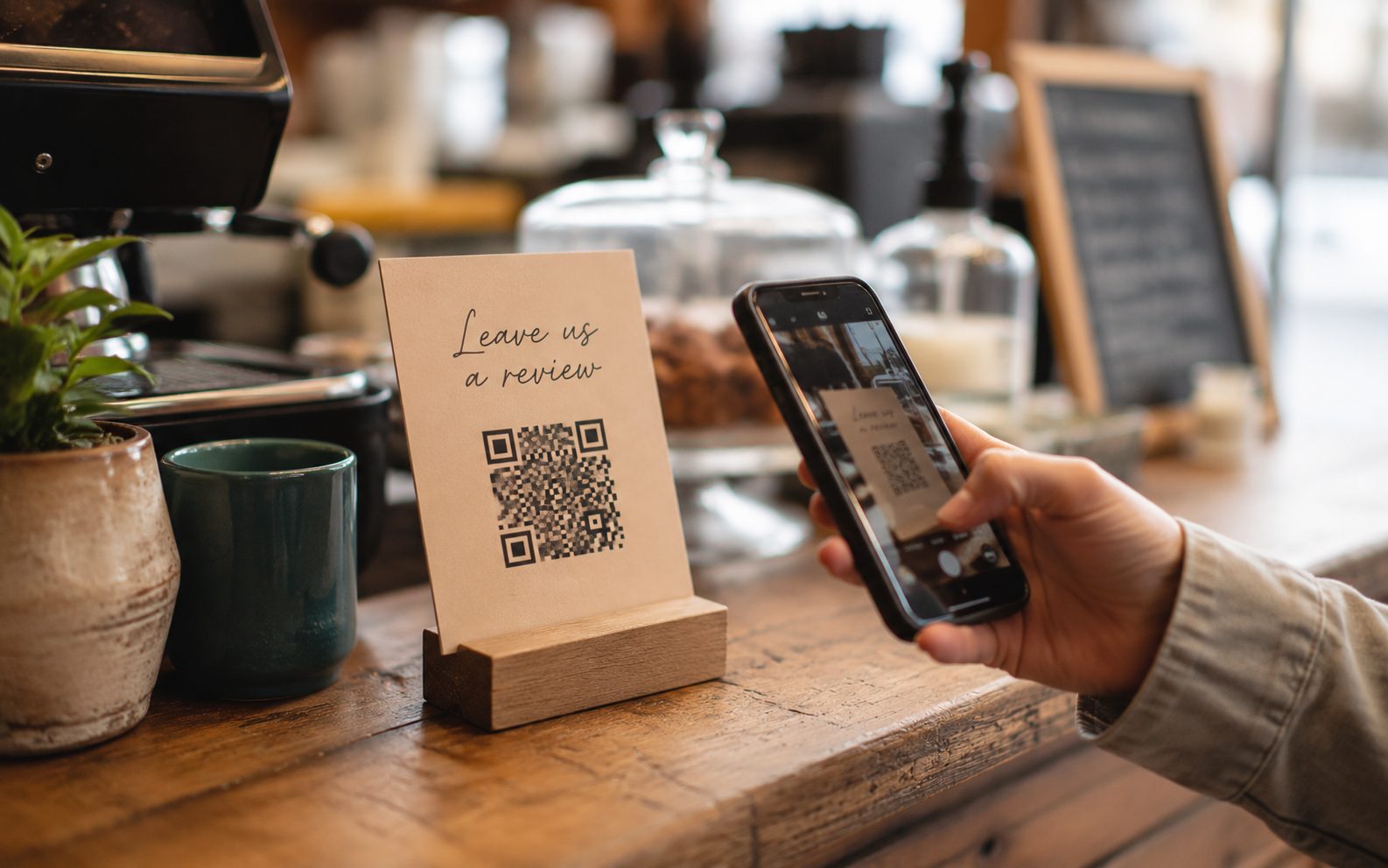
For walk-in businesses, a QR code does the same job in the physical world. A Vernon café or salon that puts a “Leave us a review” QR code on the till, the receipt, or the table makes leaving feedback a five-second action — restaurants doing this routinely double their review volume within a few months. Pair the QR code with a tablet at the counter and you’ve removed every excuse.
Whatever the channel, send people to your direct Google review link, not your homepage. Make the path one tap. Every extra step you add is a customer who meant to and never did.
12–15%
review conversion from post-service SMS (2025)
3–4%
review conversion from email — SMS wins by 3–4× (2025)
98%
SMS open rate vs. ~20–28% for email (2025)
The Fix
- Grab your direct review link from your Google Business Profile (“Ask for reviews”).
- Text it to customers 24–48 hours after the job — soon, but not pushy.
- Print a QR code card for your Vernon counter, till, or table tents.
- Never send people to your homepage — link straight to the review screen.
4. The Two Rules That Get Reviews Removed
This is where well-meaning Vernon owners get burned, because the moves that feel smart are exactly the ones that break the rules. Google removed or blocked more than 292 million policy-violating reviews in 2025 — a 21% jump on the year before — so this enforcement is real, automated, and aimed at small businesses too.
Rule one: no review gating. Gating means only asking your happy customers, or screening people first and sending the Google link only to the ones who say they’re satisfied. It feels harmless. It directly violates Google’s policy against selectively soliciting positive reviews, and it gets the reviews wiped. Ask everyone, the same way, every time.
Rule two: no paying for sentiment. Offering a discount, a draw entry, or a free coffee in exchange for a review is now banned outright. The U.S. Federal Trade Commission’s Consumer Review Rule took effect in October 2024 with penalties up to $53,088 per fake or incentivized review, and Canada’s Competition Bureau enforces its own rules against fake and misleading reviews. Google’s global policy bans incentivized reviews regardless of where you operate — so that “review us for 10% off” sign at your Vernon till is a liability, not a growth hack.
292M+
policy-violating reviews Google removed in 2025 (+21% YoY)
$53,088
max FTC penalty per fake or incentivized review (rule effective Oct 2024)
0
incentives allowed — discounts or draws for reviews are banned
The Fix
- Ask every customer the same way — never screen for happy ones first (that’s gating).
- Remove any offer that trades a discount, draw, or freebie for a review.
- Never buy reviews or post fake ones — Google detects and removes them, and penalties are real.
- It’s fine to ask for honest feedback; it’s not fine to pay for a sentiment.
5. Respond to Every Review — Especially the Bad Ones
Collecting reviews is only half the system. Responding is the other half, and it’s where most of your Vernon competitors quit. In BrightLocal’s 2026 survey, 89% of consumers expect a business to reply to reviews, and 81% expect that reply within a week. Google reads your responses as engagement, and the next customer reads them as a sign you actually care.
Negative reviews aren’t the disaster they feel like. A calm, professional reply to a one-star rant reassures the next reader far more than the complaint worries them — it shows how you handle a problem. Never gate or delete honest criticism; respond, fix what’s fixable, and move on. If a review is genuinely fake or breaks Google’s policy, you can report it for removal rather than trying to bury it.
This is the trust layer underneath everything in our complete local SEO guide for Vernon businesses. Reviews feed your map ranking, your website conversions, and increasingly the AI tools customers ask for recommendations.
89%
expect a business to respond to reviews (BrightLocal, 2026)
81%
expect that response within a week (BrightLocal, 2026)
31%
won’t use a business under 4.5★ — responses protect your average (2026)
The Fix
- Reply to every review within a week — thank the positive, address the negative.
- Keep negative replies calm and solution-focused; never argue in public.
- Report reviews that are fake or violate policy instead of ignoring them.

6. Build a System That Runs Without You
One review push in January does nothing by June. The Vernon businesses that dominate reviews have turned the ask into a habit that runs whether they think about it or not. That’s the difference between a good month and a year-round flow of fresh, recent reviews.
Tie the ask to something you already do every day — handing over the receipt, sending the invoice, finishing the appointment. In a seasonal Okanagan business, build it into your busy stretch: a landscaper should be collecting reviews all through the spring and summer rush, not remembering in October. A handful of saved text templates and a counter QR code is enough to keep it running without adding work.
If your profile itself isn’t set up to make this easy, start with our Google Business Profile checklist for Vernon businesses — your review link and “Get more reviews” tools live there, and a complete profile is what those reviews attach to.
The Fix
- Pick one daily moment (receipt, invoice, appointment end) and attach the ask to it permanently.
- Save 2–3 text templates so asking takes ten seconds, not ten minutes.
- In a seasonal business, front-load review collection into your busiest months.
Quick Wins: 5 Things You Can Do Today — Free
- Grab your direct review link. In your Google Business Profile, tap “Ask for reviews” and copy the short link — that’s the only URL you’ll ever send.
- Text your last 5 happy customers. One line, the link, done. Three fresh reviews this week beats 30 from two years ago.
- Print a QR code card. Put it on your counter, till, or table — turn every walk-in into a five-second review.
- Reply to every existing review. Start with the oldest unanswered one; Google counts replies as engagement.
- Take down any “review us for a discount” sign. It’s an incentive violation now — remove it before it costs you reviews.
Get this running and reviews stop being something you chase and start being something your business produces on its own. Every happy Vernon customer becomes a recent five-star review, your map ranking climbs, and the next searcher sees a business that’s clearly busy, trusted, and active — without you ever begging or bending a rule.
The businesses that skip this don’t fail loudly. They just watch the competitor down the street — the one who asks every single customer — pull ahead month after month, until that gap is too wide to close in a season. Reviews compound. The best day to start the system was a year ago; the second-best is the next customer who walks out your door happy.
Want More Reviews Without the Hassle?
We help Vernon businesses set up a simple, rules-safe review system — the link, the QR codes, the templates, and the responses. Book a free audit and we’ll show you exactly where your reviews are leaking and how to fix it.
Book Your Free Audit →Google Reviews Local SEO Vernon BC Online Reputation Google Business Profile Small Business Okanagan
Sources: BrightLocal Local Consumer Review Survey 2026; BrightLocal Google Reviews Study; 2026 Google review statistics (request/conversion data); 2025 SMS vs. email review-conversion benchmarks; U.S. Federal Trade Commission Consumer Review Rule (2024); Google review-policy enforcement data 2025.
We’re Vernon’s local SEO agency — we’ll get your business found on Google so you can focus on running it.
See our SEO services →